Posted on Leave a comment

How Depth Turns Static Images into Living Pictures

In this video, Connecting Depth to Living Pictures, we explore how depth perception transforms static visuals into immersive, emotionally engaging experiences. From understanding the basic cues the human eye uses to perceive space, to applying motion and compositional layering, the video breaks down how “living pictures” are created across photography, video, and digital media.

Connecting Depth to Living Pictures
(Source: Lytro, Adam Gould, March 13, 2018, Original URL, Archived URL)

Video Summary

TimelineDescription
00:00 – 00:40Introduction: Why Depth Matters in Living Pictures
The video opens by framing the core problem: why flat images often fail to feel “alive,” and how depth perception plays a crucial role in making pictures feel immersive. This section sets the conceptual foundation for connecting visual depth with emotional engagement.
00:41 – 01:30Understanding Depth Perception in Visual Media
This segment explores how humans perceive depth through visual cues such as scale, overlap, perspective, and motion. It establishes the difference between simply seeing an image and experiencing spatial realism.
01:31 – 02:20From Static Images to “Living” Visuals
Here, the video transitions from theory to application, showing how still or minimally animated images can feel dynamic when depth cues are correctly applied. The concept of “living pictures” is introduced as images that suggest space, presence, and continuity.
02:21 – 03:15Motion as a Connector Between Layers of Depth
This section highlights motion (camera movement, parallax, or subject movement) as a powerful tool for reinforcing depth. Even subtle motion can activate depth layers and transform a flat composition into a spatial experience.
03:16 – 04:20Practical Techniques for Creating Depth
The video presents practical visual strategies—such as foreground/background separation, focus shifts, and compositional layering—that help connect depth to perceived realism. These techniques are applicable across photography, video, and digital art.
04:21 – 05:20Emotional Impact of Depth in Visual Storytelling
This segment emphasizes that depth is not just technical, but emotional. Images with believable depth feel more human, more relatable, and more engaging, helping viewers emotionally connect with what they see.
05:21 – 05:55Conclusion: Making Pictures Feel Alive
The video concludes by reinforcing the central idea: depth is the bridge between static imagery and living pictures. When depth cues, motion, and composition work together, visuals move beyond representation and into experience.

Key Takeaways

  • Depth is the foundation of “living pictures.” Images feel alive when they convey space, presence, and spatial relationships—not just detail or color.
  • Depth perception relies on multiple visual cues. Perspective, scale, layering, focus, and overlap work together to create believable spatial realism.
  • Motion activates depth. Subtle movement, parallax, or camera shifts help reveal depth layers and transform flat visuals into immersive experiences.
  • Layering enhances realism and clarity. Clear separation between foreground, midground, and background strengthens visual storytelling.
  • Depth increases emotional engagement. Spatially rich images feel more human and relatable, making them more effective for storytelling and communication.
  • Creating depth is about intention, not complexity. Thoughtful composition and minimal motion often achieve stronger results than overloading an image with effects.

Explore more videos in this series

  1. Introducing Lytro ILLUM
  2. Shooting Simple Living Pictures
  3. Connecting Depth to Living Pictures
  4. Composing for Depth
  5. Exploring Depth of Field
Posted on Leave a comment

Lytro Desktop 4 Tutorial: Exporting JPGs, 3D Images, and Depth Maps

This video provides a comprehensive walkthrough on how to export and share “living pictures” using the Lytro Desktop software. It transitions from the basics of 2D file generation to advanced 3D and raw data options, ensuring users can showcase their light-field photography across various platforms.

Exporting Living Pictures
(Source: Lytro, Adam Gould, March 13, 2018, Original URL, Archived URL)

Video Summary

TimeDescription
00:00 – 00:05An introduction to exporting living pictures.
00:05 – 00:17A guide on how to export living pictures from Lytro Desktop.
00:17 – 00:22A demonstration of the different export formats available.
00:22 – 00:37An overview of the 2D export formats and the adjustments that are preserved.
00:37 – 00:54An overview of the 3D export formats and how to view them.
00:54 – 00:58An overview of the Lytro camera raw image export format.
00:58 – 01:09An overview of the editable depth map and living picture export formats.
01:09 – 01:30A guide on how to export your living pictures.

Key Takeaways

  • Tailored Export Formats: Choose between standard 2D formats (.jpg, .tiff) for everyday sharing, or specialized 3D formats (.jps or Red-Cyan) for immersive viewing on 3D TVs or with glasses.
  • “Baked-In” Adjustments: When exporting to 2D, your specific edits—including focus point, f-number (depth of field), and perspective shifts—are preserved exactly as you’ve set them.
  • Pro-Level Post-Processing: For advanced users, the software allows you to export Editable Depth Maps and Raw Images (.lfr), giving you the flexibility to manipulate depth data in external editors like Photoshop.
  • Effortless Batch Processing: Save time by selecting multiple images at once; use the Prefix feature to automatically name and number your files (e.g., “Vacation_01”) for an organized library.
  • Real-Time Progress Tracking: Keep an eye on the Activity Monitor in the top-right corner to see exactly when your high-quality renders are finished and ready to use.
  • The “Living” Advantage: Even after a shot is taken, the export process lets you decide exactly how that “living” moment should be presented to the world as a static or 3D image.

Explore more videos in this series

  1. Introducing the Virtual Camera
  2. Adjusting Living Pictures
  3. Animating Living Pictures
  4. Exporting Living Pictures
  5. Introducing Focus Spread
  6. Present Your Living Picture
Posted on Leave a comment

Lytro ILLUM: The Camera That Lets You Focus After the Fact

This video is a comprehensive introduction and technical showcase of the Lytro ILLUM, a second-generation light-field camera. It details how the device captures the “entirety of the light field” to allow for post-capture adjustments like refocusing and perspective shifting.

Introducing Lytro ILLUM
(Source: Lytro, Adam Gould, March 13, 2018, Original URL, Archived URL)

Video Summary

TimestampDescription
00:00 – 00:35Introduction to the philosophy behind Lytro; moving beyond 2D “flat” photography to capturing a richer 3D world.
00:36 – 01:10Close-up shots of the Lytro ILLUM hardware, highlighting its sleek, angled industrial design and the custom lens.
01:11 – 01:55Explanation of the sensor and microlens array. It illustrates how the camera captures position and direction of light rays (40 Megaray sensor).
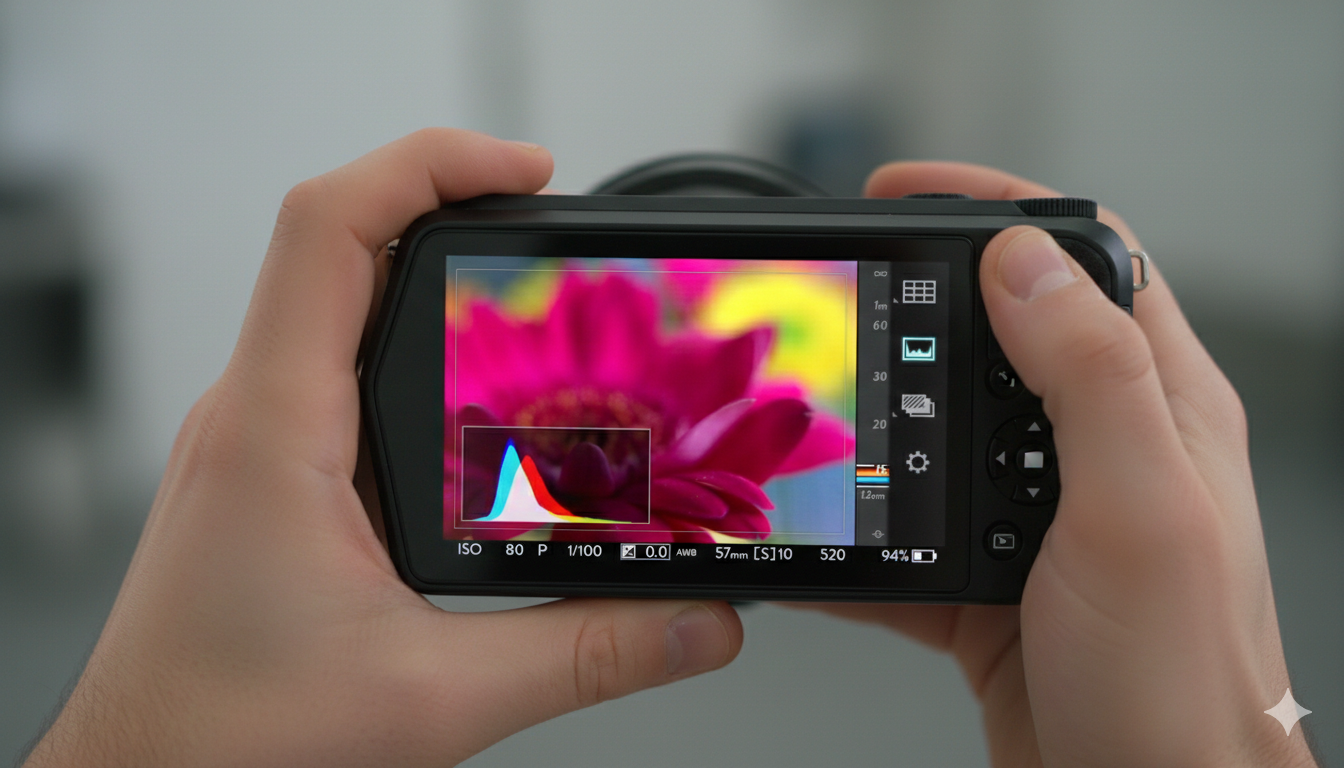
01:56 – 02:40Demonstration of the “Lytro Button” and the real-time depth histogram, which shows the “refocusable” range of a shot before it’s taken.
02:41 – 03:25Showcasing the desktop software. Features include changing the focus point, adjusting depth of field (f-stop), and “Living Pictures” (slight 3D parallax).
03:26 – 04:40Testimonials and examples from professional photographers using the ILLUM for fashion, action, and storytelling.

Core Technical Features Highlighted

  • 40 Megaray Sensor: Unlike traditional megapixel counts, this measures the total number of light rays captured.
  • Custom Lens: An 8x optical zoom (30 – 250mm equivalent) with a constant f/2.0 aperture.
  • Light Field Engine 2.0: The onboard processing power that allows for instant depth feedback on the touchscreen.
  • Living Pictures: The ability to export images as interactive files or animations that pan, tilt, and refocus.

Key Takeaways

The video emphasizes that the Lytro ILLUM isn’t just a camera upgrade, but a new category of imaging. By capturing the “direction” of light, it removes the pressure of getting the focus perfect in the moment, allowing the creator to decide the focus and depth of field during the editing process.

Explore more videos in this series

  1. Introducing Lytro ILLUM
  2. Shooting Simple Living Pictures
  3. Connecting Depth to Living Pictures
  4. Composing for Depth
  5. Exploring Depth of Field